What you need:
Iphone 5 verizon version running 7.0.4
ifile and tetherme
Evad3rs jailbreak.
page plus prl file.
verizon sim card without service
Step 0. Put your verizon non-active sim card on the phone.
Step 1. Jailbreak your iphone. I use evad3rs jailbreak since my iphone is running 7.0.4.
Step 2. Install ifile and tetherme on your phone, you can buy them from cydia.
Step 3. Download the page plus prl file
Step 4. If you download the file(prl file) to your computer you need to put in your phone, if that is the case you need to install afc2add and a iphone browser. You can put it anywhere in your phone, I put mine in usr>downloads.
Step 5. Go here System/library/carrier bundles/iphone/
Step 6. rename Verizon_LTE_US.bundle to VerizonBackup.bundle.
Step 7. rename Tracfone_US.bundle to Verizon_LTE_US.bundle.
Step 8. Copy pageplus.prl to Verizon_LTE_US.bundle(the tracfone bundle renamed) and renamecarrier.prl to carrierbackup.prl, finally rename pageplus.prl to carrier.prl.
Step 9. Remove and reinsert the sim card without rebooting. Carrier should say TFW. Activate the phone with pageplus using your phone meid.
Step 10. Dial *22890, let the phone program. You should get the programming successfully message on the screen.
that's it, I am getting 3G on the phone. Will post a youtube video with the instructions later.
Showing posts with label guide. Show all posts
Showing posts with label guide. Show all posts
Thursday, March 6, 2014

Sunday, November 10, 2013
How To Flash A Verzion iPhone To PagePlus
You may of been searching for a while to figure this one out as it took me a bit of time to get it. Follow this guide and you will succeed. 
This requires a CDMA iPhone not GSM. Should work just fine on aiPhone 4 or 4S. However a 5 hasn't been tested.
Why should you do this? The plans are significantly cheaper than going directly through Verzion. Not to mention you are not binded to a contract. I switched from AT&T (purchased a verzion iphone first) paying 60-80$ a month that I didn't even use that much due to my inactivity. Even then AT&T wouldn't allow me to use tethering. Had to jailbreak and use My-Wi to accomplish this. Even then AT&T detected it and threw a larger data plan on my account. Which I had to call and have removed. I am now paying 12$ a month and it suites me just fine, no contract and tethering (even though I don't use it). OH!! Lets not forget about the spotty AT&T coverage and the LACK of 3G in my area. PagePlus gives me better service 3 bars vs my 1 bar before AND 3G!
The savings a year is quite significant for just my line alone doing this for your family and ! It had to be done.
The first step is rather easy. You need to check the ESN of youriPhone. This is best done using this link. After a short while or a few hours depending on there server they will send you a email. Please be sure to read it completely so that you make sense of what its saying. Now here is an example of what my email said. "The Device State is: ___AVAILABLE_FOR_USE___ (this field should NOT be blank, if it is, read below.)" Now this is the most important line in the email and it can say many different things which have been explained in the email sent to you. The device state above "AVAILABLE_FOR_USE" is rather simple to grasp, it means your device will work on the PagePlus just fine. However you may at times receive nothing on this line. If so this generally just means to re-submit the ESN check request. If your getting something else then please read your email and make sense of it. If you need help just ask.
Next step, you need to go here to get a FREE PagePlus phone number. Free PagePlus Number. Now before contining understand this is a quick and free method that will generate you a PagePlusphone number based on the zip code you provide. If you'd perfer to keep a old phone number I'd suggest using this. This is also free, however it does take time. It took me a day or so to fully port my brothers iPhone. Free Port-In. There are other methods of doing this but free is clearly the best!
Activing your iPhone is next! You need to get in service range and dail *228 then press 1 when prompted. You'll recevie a "Service Update Complete" after about one minute. Now if you click contacts (while in the phone app) it should show your new phone number at the very top. If not, restart your iphone.


Now place your first phone call. It will complete the activation. When prompted just press 1 and your done. Now after this is done yourphone is good to go. However you need to register an account and tie your phone to the account to purchase minutes or go on a monthly plan. This needs to be done here. PagePlus. Creating an account should be rather easy. AFTER you have created an account and are signed in go to this Add a Phone. From here just register your iPhone. It will send you a text message code that you will need to provide it.

All done. You may now purchase a monthly plan or do a Pay as you go deal type thing from here. Plans. If you went with a Port-In above then you should of recevied a email with a discount code. However it must be used on Kitty Wireless. Which means it will take more time.
Note: If your using a jailbroken phone here you can download a PagePlus Carrier Bundle and apply it your iPhone using Cydia. This will make it show PagePlus as your carrier in settings and at the top. It will also remove visual voicemail. As this won't work. It may also also change apn settings and such. Everything will work just fine without it so this step is not required but will make everything more proper.
Add the source "cydia.appleflasher.com" to your sources in Cydia. (without quotes)
Then install the "Commcenter Patch" and "PagePlus Carrier Bundle".
Reboot phone and your done. ;D


Note: It will add a silly looking logo at the top left, if you wish to remove this and use the normal PagePlus text just install "iFile" from Cydia. Then browse to "/var/mobile/Carrier Bundle.bundle". Delete or rename all the .png files. Optionally if you have OpenSSH install on your device just login and type cd "/var/mobile/CarrierBundle.bundle" && rm *.png
Thats all there is. Your 100% done! Enjoy your new FEATURE packed iPhone. Should you need any help just ask below. Below is a photo of the end result!


Another note, if your trying to do this using a non-verzion iPhone, then it won't work. Those devices need manual flashing. Which isn't easy to do. ;(
This requires a CDMA iPhone not GSM. Should work just fine on aiPhone 4 or 4S. However a 5 hasn't been tested.
Why should you do this? The plans are significantly cheaper than going directly through Verzion. Not to mention you are not binded to a contract. I switched from AT&T (purchased a verzion iphone first) paying 60-80$ a month that I didn't even use that much due to my inactivity. Even then AT&T wouldn't allow me to use tethering. Had to jailbreak and use My-Wi to accomplish this. Even then AT&T detected it and threw a larger data plan on my account. Which I had to call and have removed. I am now paying 12$ a month and it suites me just fine, no contract and tethering (even though I don't use it). OH!! Lets not forget about the spotty AT&T coverage and the LACK of 3G in my area. PagePlus gives me better service 3 bars vs my 1 bar before AND 3G!
The savings a year is quite significant for just my line alone doing this for your family and
! It had to be done. The first step is rather easy. You need to check the ESN of youriPhone. This is best done using this link. After a short while or a few hours depending on there server they will send you a email. Please be sure to read it completely so that you make sense of what its saying. Now here is an example of what my email said. "The Device State is: ___AVAILABLE_FOR_USE___ (this field should NOT be blank, if it is, read below.)" Now this is the most important line in the email and it can say many different things which have been explained in the email sent to you. The device state above "AVAILABLE_FOR_USE" is rather simple to grasp, it means your device will work on the PagePlus just fine. However you may at times receive nothing on this line. If so this generally just means to re-submit the ESN check request. If your getting something else then please read your email and make sense of it. If you need help just ask.
Next step, you need to go here to get a FREE PagePlus phone number. Free PagePlus Number. Now before contining understand this is a quick and free method that will generate you a PagePlusphone number based on the zip code you provide. If you'd perfer to keep a old phone number I'd suggest using this. This is also free, however it does take time. It took me a day or so to fully port my brothers iPhone. Free Port-In. There are other methods of doing this but free is clearly the best!
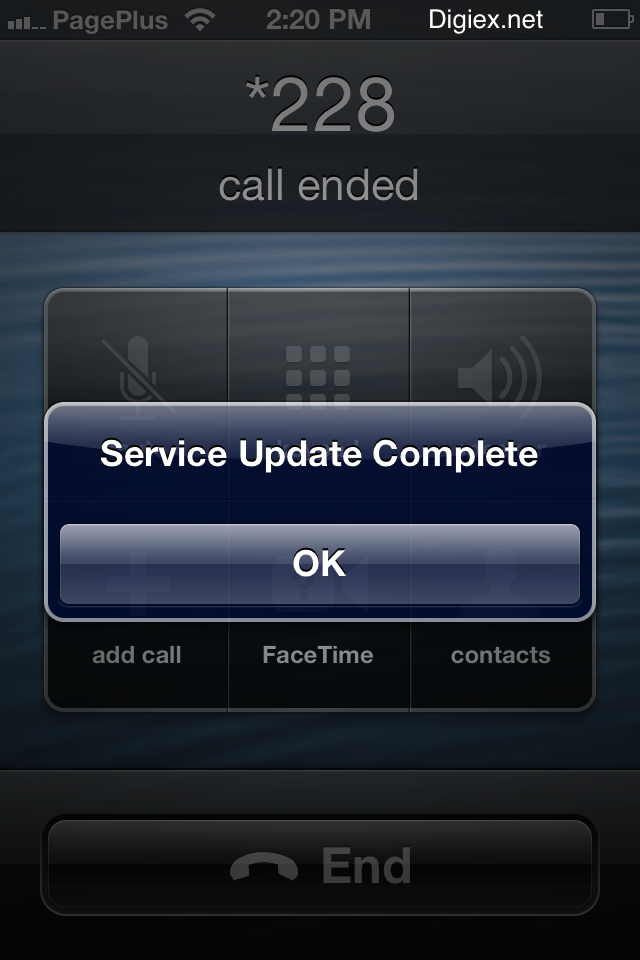
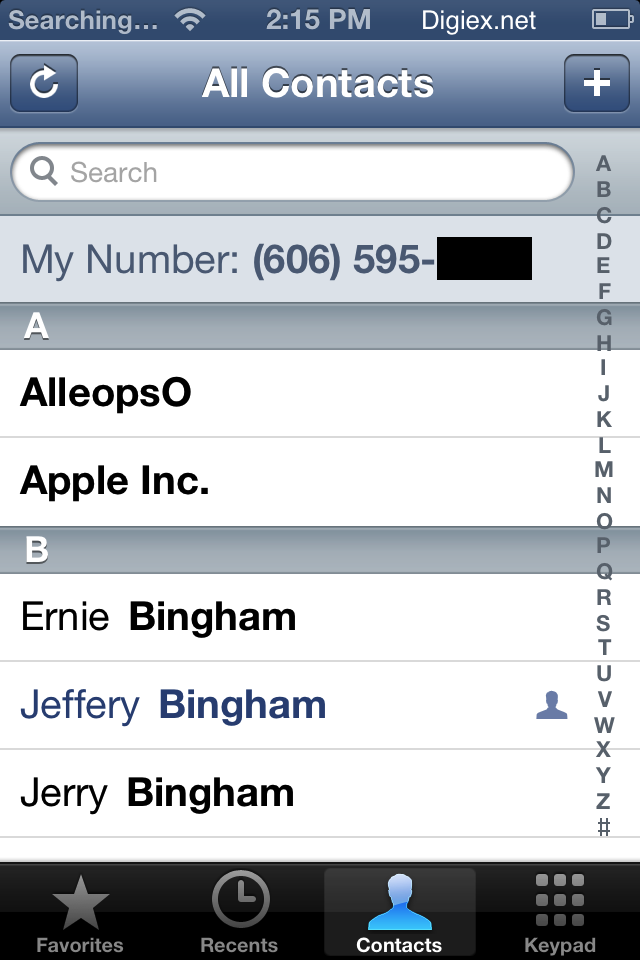
Activing your iPhone is next! You need to get in service range and dail *228 then press 1 when prompted. You'll recevie a "Service Update Complete" after about one minute. Now if you click contacts (while in the phone app) it should show your new phone number at the very top. If not, restart your iphone.
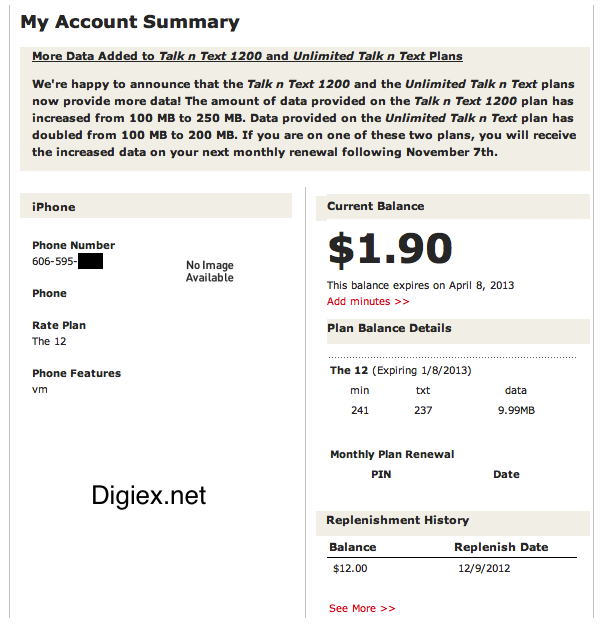
Now place your first phone call. It will complete the activation. When prompted just press 1 and your done. Now after this is done yourphone is good to go. However you need to register an account and tie your phone to the account to purchase minutes or go on a monthly plan. This needs to be done here. PagePlus. Creating an account should be rather easy. AFTER you have created an account and are signed in go to this Add a Phone. From here just register your iPhone. It will send you a text message code that you will need to provide it.

All done. You may now purchase a monthly plan or do a Pay as you go deal type thing from here. Plans. If you went with a Port-In above then you should of recevied a email with a discount code. However it must be used on Kitty Wireless. Which means it will take more time.
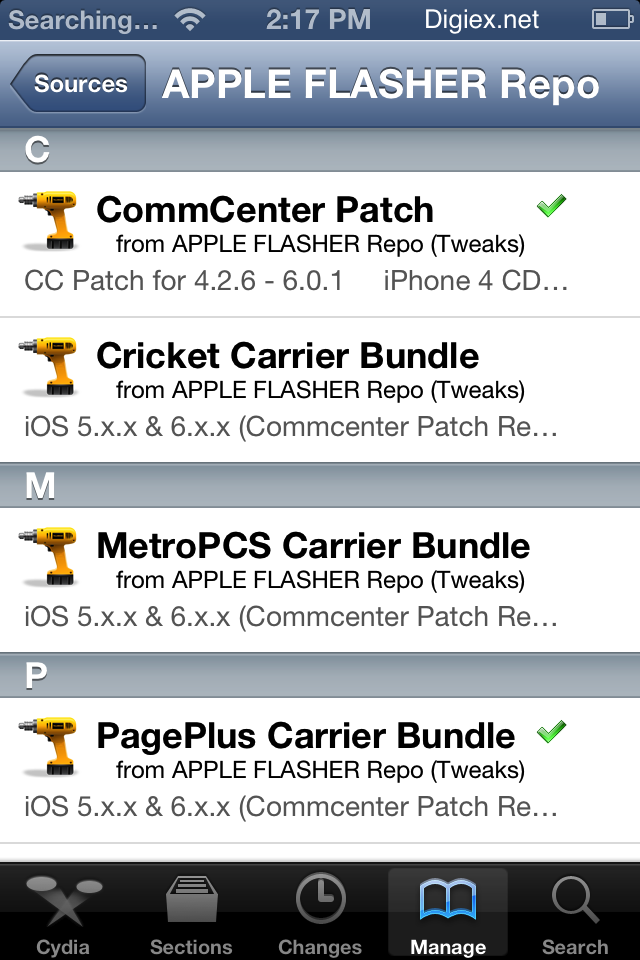
Note: If your using a jailbroken phone here you can download a PagePlus Carrier Bundle and apply it your iPhone using Cydia. This will make it show PagePlus as your carrier in settings and at the top. It will also remove visual voicemail. As this won't work. It may also also change apn settings and such. Everything will work just fine without it so this step is not required but will make everything more proper.
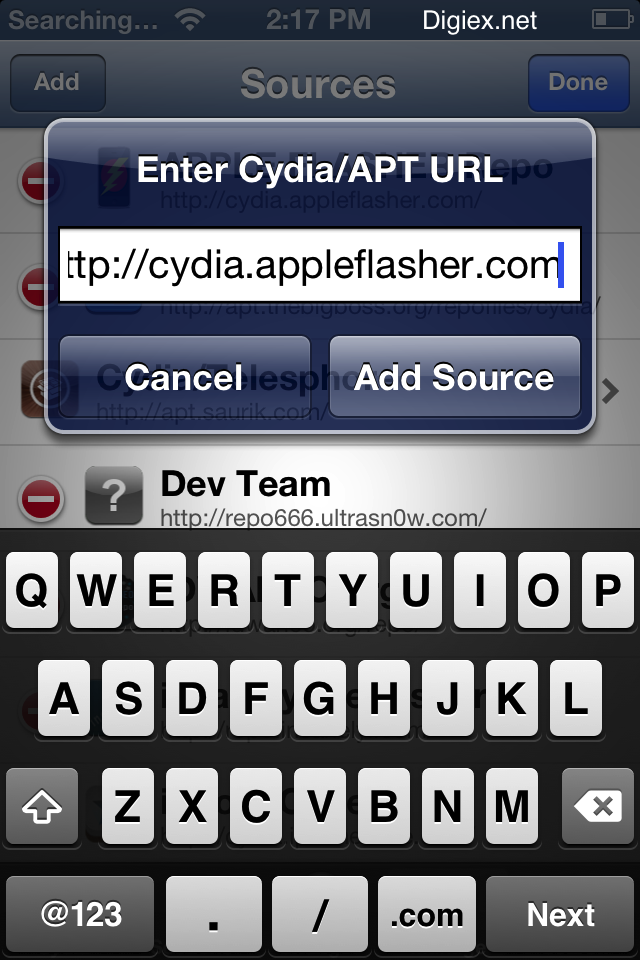
Add the source "cydia.appleflasher.com" to your sources in Cydia. (without quotes)
Then install the "Commcenter Patch" and "PagePlus Carrier Bundle".
Reboot phone and your done. ;D
Note: It will add a silly looking logo at the top left, if you wish to remove this and use the normal PagePlus text just install "iFile" from Cydia. Then browse to "/var/mobile/Carrier Bundle.bundle". Delete or rename all the .png files. Optionally if you have OpenSSH install on your device just login and type cd "/var/mobile/CarrierBundle.bundle" && rm *.png
Thats all there is. Your 100% done!
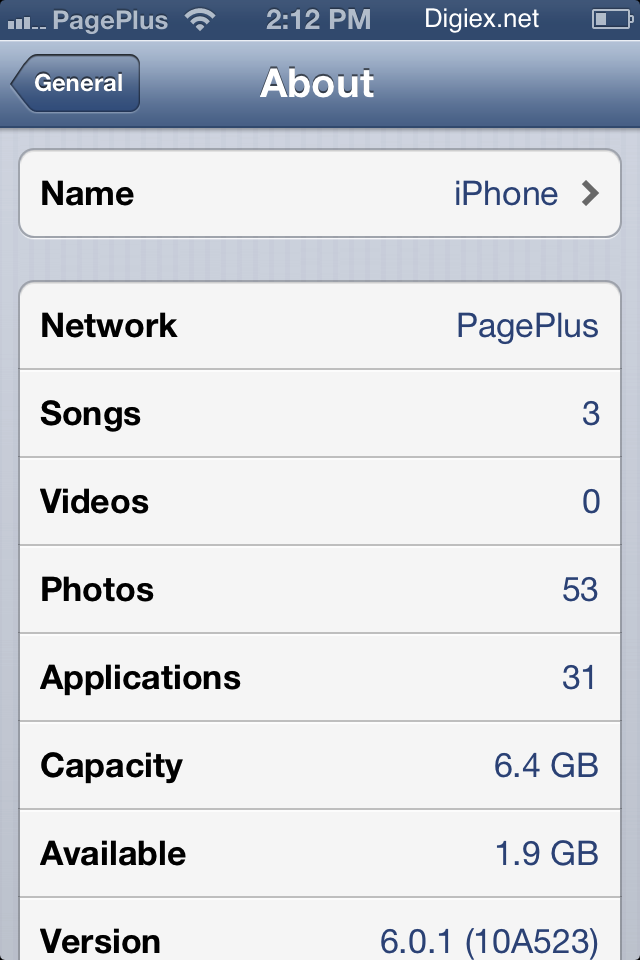
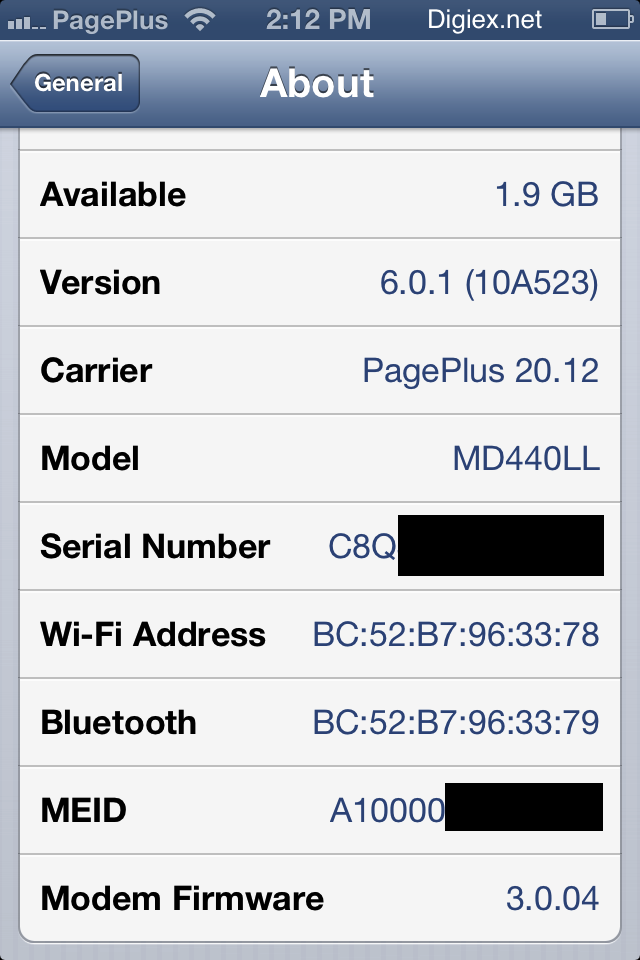
Enjoy your new FEATURE packed iPhone. Should you need any help just ask below. Below is a photo of the end result!
Another note, if your trying to do this using a non-verzion iPhone, then it won't work. Those devices need manual flashing. Which isn't easy to do. ;(
Guide Samsung Galaxy Note 216 digit Password 4.1.2 jellybean
Samsung Galaxy Note 216 digit Password 4.1.2 jellybean
Alot of people have been wondering what is the 16 digit password for the galaxy s3 with firmware 4.1.2 jellybean. Well it has been been a serious problem but i have found a way around it and here it is step by step
Step 1: Root your phone
Step 2: back up your phone using titanium backup
Step 3: Download Stock firmware 4.1.1
Step 4: Install stock Firmware
Step 5: input password 01F2030F5F678FF9
and voila you phones SPC should now show up on CDMA Workshop
Friday, August 2, 2013
[GUIDE] Flashing Evo Lte to Page Plus
Page plus is a prepaid CDMA wireless carrier that operates on the verizon network. They are the only (that I know of) prepaid carrier that always you to add your sprint ESN (good or bad) onto their network. Other carriers do not allow you to flash your own phone onto their network, thus you have to buy a "donor phone". This is why I chose page plus, I didnt wanna pay for a donor phone or clone my ESN.Page plus
http://www.pagepluscellular.com/default.aspx
(800) 550-2436
This guide will get you talk text and data.
Warning you will only get 1x speed with this guide, you would need to extract 3g keys from an actual verizon 3g phone to get working 3g. My 1x speeds tested around 200 kbps both up and down, sadly faster then Sprint 3G in my area.
Go to settings>about phone>phone identity and grab a pen and paper and write your 14 digit MEID number down.
First read the guide to make sure you can do this. It is actually super easy, the longest part is downloading the necessary software and drivers.
Read the guide? Comfortable with the process? Call Page Plus at (800) 550-2436. Expect to sit on hold for 5-30 minutes. Tell the rep that you do not have an account and you would like to flash your sprint phone onto their network. They will ask you for your ESN. Give them the MEID you wrote down and they will ask your city, state, and zip to give you a local area code. The rep will give you a phone number and a MIN, write these down.
There is an option to activate your phone online instead but DONT. If you call they will do it for free and give you 20 minutes of airtime, if you do it online it will cost you 10 dollars.
Cool! Your phone is now ready to be flashed to the phone number that page plus gave you. Lets make a checklist on necessary software.
You MUST do this on a sense based ROM, as you will be putting your phone in USB diagnostic mode, and CM10 does not recognize it when you do this.
Download MSL Reader off of the market (requires root) this will you give you your SPC code.
CDMA workshop
http://www.cdma-ware.com/workshop.html Only need the demo, no need to buy full version
QPST
http://www.4shared.com/rar/G82rq8aT/QPST27374.html
HTC diagnostic drivers
http://dl.dropbox.com/u/15396645/Dia...%20Drivers.zip
Page Plus prl files (see attatchment)
Install QPST and CDMA workshop demo.
Plug your phone into you computer and dial ##3424# which will put it in diagnostic mode.
Head over to device manager on your PC and look for “HTC Diag” it should be there. If you dont see it, try restarting your phone.
Once you see “HTC Diag” right click it and select update driver. Pick browse from computer and point to the HTC diag drivers you downloaded. Choose the x64 folder for 64 bit or x86 for 32 bit.
We are now ready to flash to Page Plus.
Open up CDMA workshop demo.
Click “port” on the top left and it should say HTC diagnostic interface. Double click it.
Click “connect” at the top
Click the security tab at the top.
On the bottom right it says “SPC/user lock” in the box below where it says Default (nv_read) enter the number the MSL reader app gave you.
Now click the SBC and select “send”. It should say device unlocked successfully. Now click SPC again and select “write”. Should say SPC successfully changed.
Now click the “other” tab at the top. Under PRL click the Write tab and browse to the pageplus prl folder and select pageplus.prl
It should say successfully writen.
Now click the “main” tab at top. Click where it says “read” above the security tab. Now click “read” on the bottom right.
You will see two different boxes that say “MIN” punch the MIN number page plus gave you into both of those boxes.
Next you see towards the bottom of the page “Dir_Number and Dir_PCS” boxes. Enter your page plus phone number into both of those boxes. We are now done with CDMA work shop. Click the red X at the top right, and the program will ask you to save your changes. Click yes, and the phone will reboot.
Let your phone boot back up, we will now finish the job with QPST.
Dial ##3424# again once your phones back booted up to make sure its in diagnostic mode.
Navigate on your PC to start all programs QPST and select QPST configuration.
Click “add new port” there should be one with a COM number that says USB/diagnostic. Click that and select ok.
On top select start clients then service programming.
Double click phone and a new window should pop up with a bunch of tabs.
Click “read from phone” at the bottom left. Enter again the code the MSL reader app gave to you.
At the top right press the right arrow until you see the “M.IP” tab
Where it says mobile IP behavior towards the bottom click the drop down menu and select Simple IP only.
Double click profile 2.
In NAI put phonenumber@vzw3g.com
For tethered NAI put phonenumber@dun.vzw3g.com
For HA shared secret select enter text string and type “vzw” Do the same in the AAA shared secret column.
Look to the right.
Home address should be set to 0.0.0.0
Both primary and secondary HA addresses should be set to 255.255.255.255
Hit ok at the bottom left and navigate to the ppp config tab
Click “um'
For user ID enter phonenumber@vzw3g.com
For tethered NAI enter phonenumber@dun.vzw3g.com
Click in the password box and type “vzw”
Click the AN tab
User ID is your phone*number@vzw3g.com
Password is "vzw"
Click "write to phone"
Your phone should now reboot and be fully operational on the page plus network with your new phone number. When your phone boots up dial *22890, if it fails no worries just call anyone you would like and it should say press 1 for english then tell you your account balance is low as they only give you 20 minutes of airtime for free.
Head over to www.pagepluscellular.com and register an account so you can add PIN numbers to replenish your account.
I suggest buying PINS at www.callingmart.com. They will give you a PIN instantly upon purchase. Just enter that pin through your account at www.pagepluscellular.com
Use coupon code B2S125 and get 5 percent off
Enjoy!
iCloud bypass activator Doulci Download
If you appreciated my guide and I helped you you can order your PIN number through
http://www.callingmart.com/products/...3-63f0dd37b55f
This gives me a few cents via affiliation credit. Thank you!
Subscribe to:
Posts (Atom)